
Dont Want To Use Business.Facebook.com More?
Here's The Solution
1. Make a New Page of Any Name
2. Go To Business Manager
3. Click on Pages Section
4. Add that Page to Your Business Manager
5. On The Left Panel Click on Info
6. Click on The Pencil Icon at the right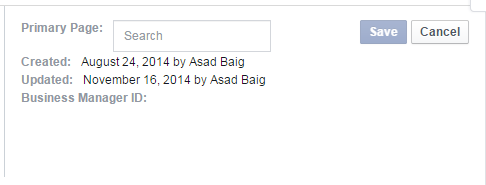
7. Now in the Search Box Enter Your New Page Name which you recently created
8. Now Click on that page and then Save it
9. Now again go to the pages section
10. remove all of your pages by clicking on "Remove"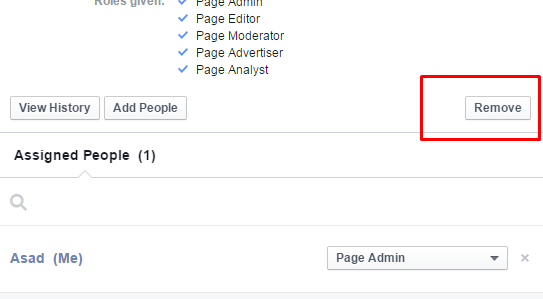
11. After You remove all of your pages go to Facebook.com and Go to your page which you recently Created
12. Go to the Page Settings and Permanently Delete that Page
You are All Done.
Here's The Solution
1. Make a New Page of Any Name
2. Go To Business Manager
3. Click on Pages Section
4. Add that Page to Your Business Manager
5. On The Left Panel Click on Info
6. Click on The Pencil Icon at the right
7. Now in the Search Box Enter Your New Page Name which you recently created
8. Now Click on that page and then Save it
9. Now again go to the pages section
10. remove all of your pages by clicking on "Remove"
11. After You remove all of your pages go to Facebook.com and Go to your page which you recently Created
12. Go to the Page Settings and Permanently Delete that Page
You are All Done.
